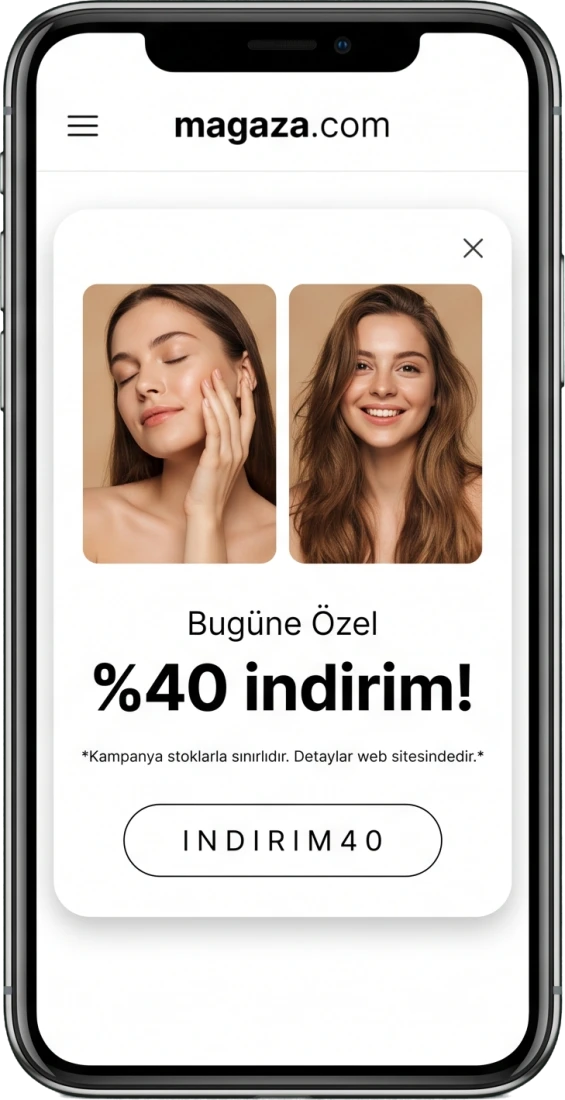
Show your message at the right moment, grow your own list

You set what the popup says, how many seconds it waits and how often the same person sees it. Newsletter sign-ups collect in one list.

What you get with popups and the newsletter

Four headings, four screens that genuinely exist in the panel. No designer and no code.

Setup

You build the popup in the panel

Heading, text, image and button in one form. You set the button’s link and colour too, so it never clashes with your theme.

Timing

It does not accost people the moment they arrive

You decide how long it waits, how often the same person sees it and between which dates it stays live.

List

Newsletter subscribers collect in one place

Sign-ups gather in a searchable list; you can act on many at once and export it into whichever mail tool you use.

Consent

Anyone who wants out is out in one step

Unsubscribing takes a single step and those who leave are marked inactive. Nobody without consent stays on the list, protecting both the legal side and your sending reputation.

Making an announcement looks like a project

Even a simple campaign notice ends up needing a developer.

A popup needs code

Even a small notice becomes a job for the agency.

It appears at the wrong moment

A box that hits on arrival drives visitors away.

The subscriber list is scattered

Sign-ups collect nowhere, so nobody is contacted.

Frequently asked

Can I choose who sees the popup?
Yes, the popup comes with a setting for who it is shown to, plus a delay and a display frequency.
Does the popup close itself?
If you give it a start and end date, yes. It comes off when the date passes, so nothing is left live by forgetfulness.
Can I take the newsletter list out?
Yes. You can export the list and move it into whichever email tool you use.
What happens to people who unsubscribe?
They are out in one step and marked inactive on the list; they do not re-enter the sending list.

Related features

Email, SMS and WhatsApp Automations

Build a flow for whoever joins the list.

Explore

Campaign and Coupon Tools

Set up the discount your popup announces.

Explore

Visual Editor

Edit the page itself from the same panel.

Explore

Make your first announcement today.

Build the popup, give it dates, and start growing the list.

WhatsApp